Original DualSense Wireless Controller for PS5
Sharpen Your Senses™
The DualSense Wireless Controller for PS5 consoles offers an immersive vibration experience, dynamic adaptive pads, and a built-in microphone — all in an iconic and impressive design.
Adaptive Sensors*
Feel different levels of force and tension as you interact with in-game equipment and environments.
From the increasing tension of a bowstring to slamming on the brakes on a fast car, physically connect with on-screen actions.
* Available when supported by the game

Haptic Feedback*
Experience a true physical response to your in-game actions with innovative dual motors that replace traditional vibration motors.
As you play, these dynamic vibrations give your hands a realistic feel – from the atmosphere around you to the recoil of different weapons.
*Available when supported by the game

The gaming icon in your hands
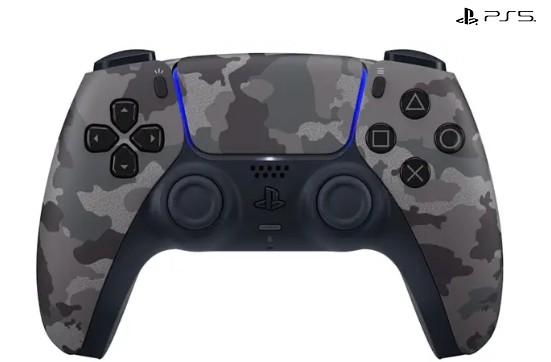
Take control with an advanced two-tone design that combines an intuitive and iconic structure with improved control sticks and an innovative light meter design.
Play for longer across a wider range of devices
Keep your PS5 controllers fully charged and ready to go — whether you’re playing on your gaming stand or stepping away from the TV using PS Remote Play

Take your gaming to the next level on PC, Mac and mobile
Connect via USB Type-C® or Bluetooth® technology and play easily across a wider range of devices – including Windows and Mac® PCs, as well as Android and iOS mobile phones and tablets.
Upgrade your PC gaming experience with advanced features like adaptive vibration feedback and dynamic triggers on a selection of leading PC titles.*
*Vibration feedback and trigger resistance adjustment may require a USB connection and are only available where the game supports it
Play thousands of games that support controllers, including games streamed from your PS4™ or PS5 to your PC, Mac* or compatible mobile devices – using the PS Remote Play app**.
*Devices running macOS 11.3, iOS 14.5, iPadOS 14.5 or tvOS 14.5 or higher are supported.
**PS Remote Play requires the Remote Play app connected to your Wi-Fi network, a PS4™ or PS5™ console with the latest system version, and a compatible game. A PS4 or PS5 console connected via LAN cable is recommended for the best experience. Remote Play app version 4.0 on iOS and iPadOS, or version 4.1 on macOS, is required to play with a controller via Bluetooth®.


What is the DualSense wireless controller for PS5?
The DualSense Wireless Controller for PS5 is an advanced game controller that offers an immersive vibration experience, dynamic adaptive pads, and a built-in microphone in an iconic and easy-to-use design.
What are the adaptive triggers on the DualSense controller?
The adaptive triggers on the DualSense controller allow you to feel variable resistance that simulates in-game actions, such as pulling a bowstring or pressing the brake pedal in a car.
What is the haptic feedback on the DualSense controller?
The haptic feedback uses innovative dual motors that provide a realistic vibration sensation, accurately mimicking game actions and the environment.
Do all games support adaptive triggers and tactile feedback?
No, support for adaptive triggers and haptic feedback depends on the specific game, and only games that support these features enable them.
How is the DualSense controller design different from previous designs?
The DualSense controller features an innovative two-tone design with refined lines, improved control sticks, and an updated light meter for more comfortable and accurate use.
Can the DualSense controller be used with PCs?
Yes, the DualSense controller can be used on Windows and Mac computers via USB Type-C or Bluetooth, and supports advanced functions in select games.
How do you connect the controller to the computer?
You can connect the DualSense controller to your computer using a USB Type-C cable or a wireless Bluetooth connection.
Is the controller compatible with phones and tablets?
Yes, the DualSense controller is compatible with Android and iOS devices, and can be used with gaming apps and PS Remote Play.
What is PS Remote Play?
PS Remote Play is a service that allows you to stream games from a PS4 or PS5 console to a compatible computer, phone, or tablet, and play using a DualSense controller.
What is required to enable PS Remote Play?
Download the Remote Play app, ensure a stable Wi-Fi connection, and use a PS4 or PS5 console with an up-to-date system.
Is a wired or wireless connection recommended for PS Remote Play?
To get the best out of the gaming experience, it is recommended to connect the console to the network using a LAN cable.
What system versions do Apple devices support for using the DualSense controller?
Devices with macOS 11.3, iOS 14.5, iPadOS 14.5, or tvOS 14.5 or later support the use of the DualSense controller.
What is the benefit of the dual vibration motors in the DualSense controller?
The dual vibration motors allow for more accurate sensations, such as the reverberation of different weapons or changes in the nature of the environment in the game.
Does the DualSense controller have a built-in microphone?
Yes, the DualSense controller has a built-in microphone that allows for voice calls without the need for separate headphones.
Can I connect headphones to the DualSense controller?
Yes, you can connect headphones using the standard 3.5mm audio jack built into the DualSense controller.
How long does the DualSense controller battery last?
Battery life varies depending on usage, but the DualSense controller provides extended playtime thanks to efficient power management and USB Type-C charging.
How do you charge the DualSense controller?
The controller can be charged using a USB Type-C cable or via a dedicated charging station for PS5 controllers.
Can the controller be used while charging?
Yes, the DualSense controller can be fully used even while wired charging on a computer or console.
What is the advantage of Bluetooth on the DualSense controller?
Bluetooth allows for convenient and fast wireless connection to various devices, including computers and phones, without the need for cables.
Does the DualSense controller work with PS4 games?
Yes, the DualSense controller can be used for games streamed from a PS4 console using PS Remote Play.
What does the PC gaming experience with DualSense include?
On PC, you can enjoy adaptive vibration feedback and dynamic triggers in games that support it, to recreate the feel of PS5 gameplay.
Is special software required to use the controller on a computer?
Typically not, but specific games may require a USB connection to support the advanced features of the DualSense controller.
What does the light meter on the DualSense controller do?
The light meter displays a visual indicator depending on in-game situations such as the player’s health status or the detection of a particular action.
Is the DualSense controller suitable for multiplayer use?
Yes, multiple controllers can be used simultaneously for multiplayer games on the PS5 console.
What is the advantage of the dual-tone controller design?
The two-tone design combines a modern look with a comfortable grip and optimal button layout for maximum convenience.
What are the improved control sticks?
The DualSense controller’s sticks have been redesigned for smoother, more precise movement, with improved sensitivity to reduce player fatigue.
Is the controller only for PS5?
Basically yes, but DualSense also supports PCs, Macs, and mobile devices via USB or Bluetooth.
Can the vibration level on the controller be changed?
Yes, the vibration intensity can be adjusted through the console settings according to user preference.
What is the difference between DualSense and previous PS controllers?
DualSense adds tactile feedback and adaptive triggers to simulate game actions, unlike the simple vibration motors in previous controllers.
What is the connector size of the charging cable?
The DualSense controller uses a standard USB Type-C connection for charging and connecting to other devices.
What does the built-in microphone enable during gaming?
The microphone allows for quick voice communication with friends during the game without the need for additional headphones.
Can the microphone be muted on the controller?
Yes, with a single press of the mute button on the controller, you can turn off the built-in microphone at any time.
Does the DualSense controller support software updates?
Yes, the DualSense controller receives periodic firmware updates to improve performance and compatibility with new games.
What should I do if the controller doesn’t connect?
Make sure the controller is charged, turn on Bluetooth mode on the target device, and try to reset the controller by pressing the small Reset button on the back of the device.
Can I use more than one device at the same time?
Yes, the controller can be paired with multiple devices, but it cannot be used on all of them at the same time – it must be reconnected each time.
What is the impact of a USB connection on the controller’s performance on the computer?
A USB connection provides faster response time and full support for all DualSense feedback and trigger features.
How can I check the controller’s battery level?
You can check the battery level through the PS5 menu or the light meter indicator on the controller.
What is the operating range of the DualSense wireless controller?
The DualSense controller has an average operating range of approximately 10 meters in an environment free of wireless interference.
What’s included in the DualSense controller package?
The package includes the DualSense wireless controller, a USB Type-C charging cable, and a quick start guide.
What colors are available for the DualSense controller?
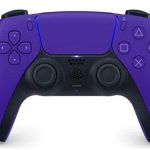
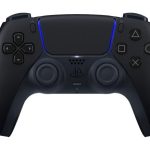
DualSense is available in a variety of colors and designs, including classic black-and-white, cosmic blue, spark red, and others depending on the edition.






 Courier delivery
 DHL Courier delivery
 Warranty 1 year
 Free 30-Day returns


















المراجعات
مسح الفلاترلا توجد مراجعات بعد.